

Best Apps for a Mediterranean Cruise in 2026: Complete Shore-Day Stack
Last updated
A classic Mediterranean sailing can wake you up in Rome, lunch you in Marseille or Barcelona, dock you in Dubrovnik or Valletta, stroll you through Santorini, and finish in Kuşadası — seven countries, two alphabets, two currencies, and tight all-aboard clocks. No single app handles both the ship and the shore; here is the honest, bloat-free phone stack that actually works.

On this page (13 sections)
- The short version
- Which to pick
- Why Mediterranean Cruises Test Your Phone Harder Than Land Trips
- The 6-App Mediterranean Cruise Stack at a Glance
- 1. Ask Lucy — Best Shore-Day Companion for Menus, Allergies & Local Signs
- 2. Google Translate Offline Packs — Your Mandatory Eastern Med Backup
- 3. Cruise Line Apps & Regional eSIMs (Zero Bill-Shock Setup)
- 4. Offline Maps, Local Trains & Currency Backup
- Pre-Embarkation 10-Minute Checklist
- Feature comparison
- Our verdict
- Common questions
- Try Ask Lucy free
The honest 6-app stack for a Mediterranean cruise
Install your cruise line's official app for life on board, a regional travel eSIM (like Airalo, Nomad, or Holafly) for cheap shore-day data, offline Google Maps or Apple Maps for every port, and Google Translate's offline language packs as your zero-signal backup — crucial because Apple Translate still does NOT support Croatian, Greek, or Maltese. Then pin Ask Lucy to your iPhone or iPad Lock Screen for shore-day menus, EU 14 allergen Safety verdicts, local Show-your-server cards, Wi-Fi sign-ins, and Home-first Euro and Turkish Lira prices.
Pick Ask Lucy when…
- You sail with an iPhone or iPad (iOS 26+) and want one camera tool on your Lock Screen that reads Italian, Greek, Spanish, French, Croatian, and Turkish menus without manual language-pair switching
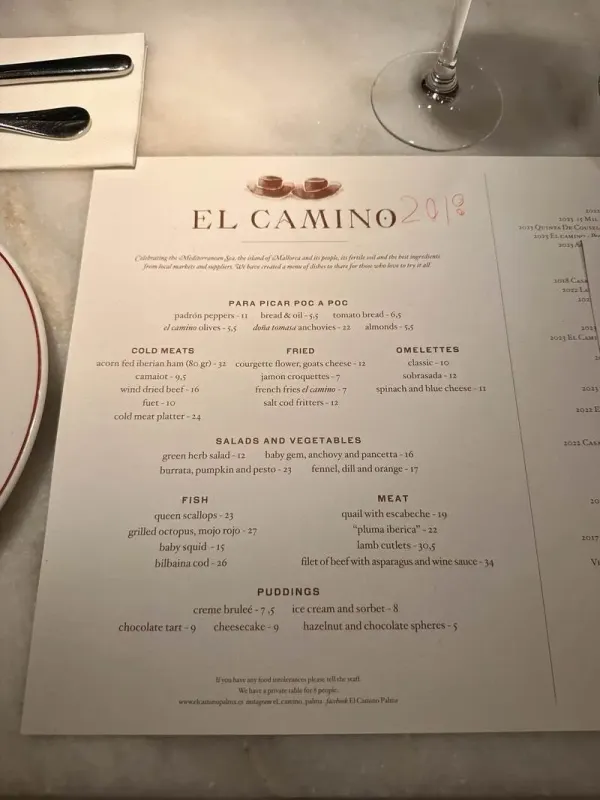
- You want dishes genuinely explained — catching Italian all'etto weight pricing, Greek per-kilo fish and (κ) frozen markers, Croatian ispod peke pre-order rules, and Spanish terrace fees before ordering
- You dine ashore with saved food allergies (getting four-state Safety verdicts — Safe, Caution, Unsafe, Unknown — behind explicit Health consent) plus local Show-your-server cards, while Diet and Pregnancy guidance tailor replies automatically alongside Home-first prices across Euros (€) and Turkish Lira (₺)
Pick Google Translate, Maps, eSIMs & Cruise Line Apps when…
- You are on board at sea in Airplane Mode (your cruise line's app runs on the free ship intranet for schedules, deck maps, and onboard messaging)
- You step into stone medieval cellars in Dubrovnik, Split, or Santorini with zero signal (download Google Translate offline packs — Apple Translate omits Croatian, Greek, and Maltese — plus offline port maps in Google Maps or Apple Maps)
- You need live two-way spoken conversation with a port taxi driver or ferry booth (use Google Translate Conversation mode across all Med ports, Apple Translate for Italian/Spanish/French/Turkish, or sister app Let's Tango if a future cruise takes you to Japan)
- You use an Android phone (Ask Lucy is built natively for iPhone and iPad only)
Why Mediterranean Cruises Test Your Phone Harder Than Land Trips
A seven-to-ten-night Mediterranean cruise compresses half of Southern Europe into one cabin. Monday morning is espresso in Italy (Italian, €); Tuesday is a konoba lunch in Croatia (Croatian, €); Thursday is a hillside taverna in Greece (Greek script, €); Friday is a spice bazaar in Turkey (Turkish, ₺); and Western routes sweep through Spain, France, and Malta too.
You only get six to eight hours ashore before the gangway pulls up, ship Wi-Fi stops at the pier, and three thousand passengers hit the local cell tower simultaneously. Stuffing twenty travel apps onto your Home Screen just adds clutter. Six focused apps — each assigned one clear job — handle every sea day and every port day cleanly.
The 6-App Mediterranean Cruise Stack at a Glance
| Category | Best Pick(s) | Exact Job on Your Sailing | Crucial 2026 Watch-Out |
|---|---|---|---|
| Menus, Allergies, Signs & Prices Ashore | Ask Lucy (iPhone & iPad, iOS 26+) | Explains local menus, EU 14 allergies, pharmacy boxes, train signs & Home-first prices ($26 (€24)) |
Needs port eSIM or café Wi-Fi (Offline outbox queues shots); 1 free scan + 3-day trial ($5.99/wk, $9.99/mo, $39.99/yr) |
| Offline Translation & Live Voice | Google Translate (+ Apple Translate) | Zero-signal stone alleys & live two-way spoken cab/ticket chats | Apple Translate omits Croatian, Greek, and Maltese — download Google Translate offline packs before flying! |
| Offline Port Maps & Walking | Google Maps or Apple Maps | Blue-dot walking navigation back to the tender pier or shuttle bus | Download offline city areas over home Wi-Fi; GPS works even in Airplane Mode |
| Affordable Port Data | Airalo, Nomad, Holafly, or Ubigi | Instant shore-day mobile data without $25–$30/day ship Wi-Fi | Confirm your Europe eSIM covers Turkey (non-EU) before docking in Kuşadası or Istanbul |
| Life On Board the Ship | Your Cruise Line’s Official App | Muster check-in, deck plans, daily planner, onboard dining & free ship intranet chat | Turn on Airplane Mode + Ship Wi-Fi BEFORE leaving port so you avoid maritime roaming |
| Offline Currency Backup | Apple Calculator (built into iOS) | Quick offline € and ₺ conversions in Airplane Mode |
Open currency conversion once on Wi-Fi so iOS caches fresh rates for offline use |
1. Ask Lucy — Best Shore-Day Companion for Menus, Allergies & Local Signs
Cruise dining rooms know your food allergies and speak fluent English; the sunlit side-street trattoria in Naples or family taverna in Santorini does not. Pin Ask Lucy to your iPhone or iPad Lock Screen widget so one tap opens the camera straight onto:
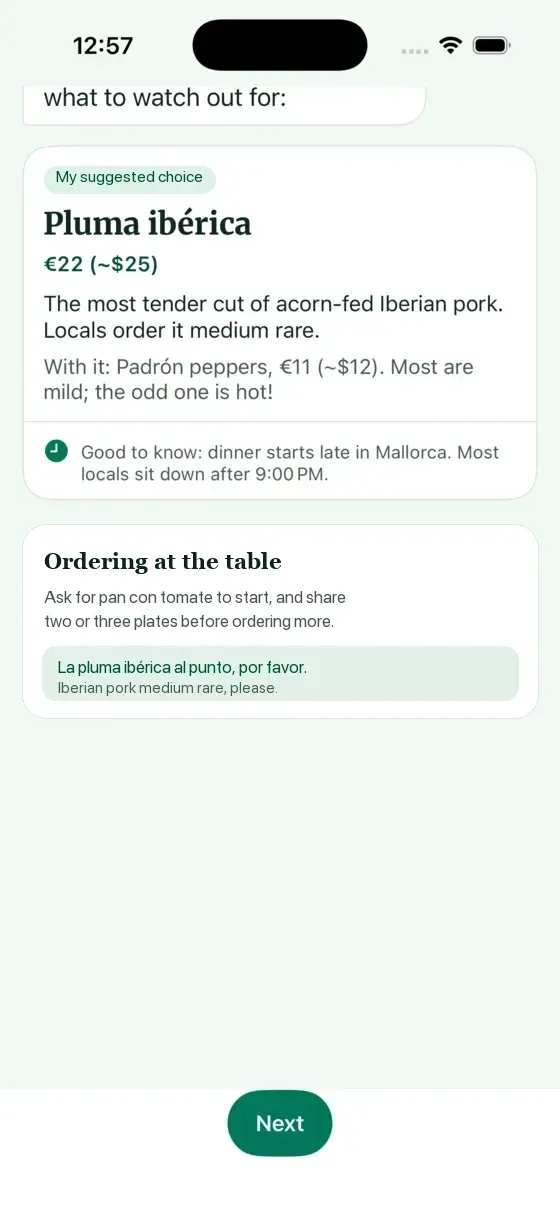
- Six languages, zero dropdowns: Snap up to 4 photos in a single turn — a handwritten Italian chalkboard, a Greek κατάλογος, a Spanish tapas sheet, a French ardoise, a Croatian seafood board, or a Turkish mezze menu. Automatic Blurry and Too dark flags plus an auto Light button stop glare and dim cellars from wasting precious shore time.
- Port-specific traps caught early: Lucy spots Italian all’etto (per 100 g) steak/fish pricing, Greek per-kilo fish (
€/κιλό) and(κ)frozen seafood tags, Croatian ispod peke pre-order dishes, and Spanish terrace supplements before you order. - Allergy Safety verdicts & Show-your-server cards: Save allergies and Severity (
mild,moderate, orsevere) once behind explicit Health consent (health data is never passively inferred) for conservative four-state Safety verdicts (Safe, Caution, Unsafe, or Unknown — never calling an unchecked dish Safe) and full-screen Show-your-server cards in Italian, Greek, Spanish, French, Croatian, or Turkish. Diet, and Pregnancy (behind Health consent), shape replies automatically without Verdict cards. (Always confirm severe allergies directly with kitchen staff and carry prescribed emergency medication.) - Home-first prices & one-tap Details cards: Prices show in your home currency first (
$18 (€16),$10 (₺480)) with live rates and mid-chat currency switching (plus Undo), while snapping a port café’s Wi-Fi sign or local tour office card extracts Details cards for one-tap Join Wi-Fi, Call, Copy, and Apple Maps Directions. Built with full iOS Dynamic Type and VoiceOver, it stays readable even in glaring Aegean sun.
2. Google Translate Offline Packs — Your Mandatory Eastern Med Backup
Even with a fast regional eSIM, thick limestone walls inside Split’s Diocletian’s Palace, Dubrovnik’s Old Town, or Valletta’s stone lanes regularly kill mobile reception. Download Google Translate offline packs over home Wi-Fi before leaving for every language on your sailing — Italian, Spanish, French, Greek, Croatian, and Turkish.
Do not rely solely on Apple Translate in the Mediterranean: while Apple Translate handles Italian, Spanish, French, and Turkish cleanly offline (with solid spoken Conversation mode), Apple Translate still does not support Croatian, Greek, or Maltese. (Malta’s saving grace is that English is an official language alongside Maltese, so menus and signs in Valletta are broadly bilingual.)
And remember the clean division of labor for spoken conversations: Ask Lucy is photo and text chat rather than live voice interpreting. Use Google Translate Conversation mode when negotiating a taxi fare in Piraeus or confirming a ferry gate in Split — and if a future cruise takes you to Yokohama, Kobe, or Nagasaki, pair Ask Lucy with our sister app Let’s Tango, built specifically for natural live two-way spoken Japanese.
3. Cruise Line Apps & Regional eSIMs (Zero Bill-Shock Setup)
Install your cruise line’s official app (Royal Caribbean, Celebrity Cruises, MSC for Me, Norwegian Cruise Line, Princess, Holland America, or Viking) before leaving home — ship Wi-Fi blocks large App Store downloads at embarkation.
For mobile data in port, a prepaid Europe travel eSIM (such as Airalo Eurolink, Nomad, Holafly, or Ubigi) typically costs a fraction of ship Wi-Fi packages and switches countries automatically as your ship moves from Barcelona to Marseille to Rome to Athens. Two rules save hundreds of dollars: keep your primary home SIM’s Data Roaming switched OFF and turn on Airplane Mode whenever the ship pulls away from the pier (preventing Cellular at Sea / maritime satellite roaming bills), and verify whether your Europe eSIM plan includes Turkey (since Turkey sits outside the EU roaming zone). See our step-by-step Guide to Using an eSIM on a Cruise Ship.
4. Offline Maps, Local Trains & Currency Backup
- Offline Maps: Download port rectangles in Google Maps or Apple Maps before boarding so you can drop a pin on the exact shuttle drop-off or tender dock and walk back smoothly even in Airplane Mode.
- Port-to-City Transit: Bookmark Trenitalia (for the easy Civitavecchia-to-Rome train), Citymapper (Barcelona, Rome, Marseille, Athens), and Apple Calculator (which caches exchange rates offline for quick Turkish Lira or Euro math when signal dips).
Pre-Embarkation 10-Minute Checklist
- Download your cruise line app and complete check-in on home Wi-Fi.
- Install and verify your Europe (+ Turkey, if calling there) regional eSIM — leave it toggled off until your first European arrival.
- Download offline Google Translate packs for Italian, Greek, Croatian, Spanish, French, and Turkish, plus offline Google Maps or Apple Maps regions for every port.
- Set up Ask Lucy on your iPhone or iPad Lock Screen (1 free scan included, then a 3-day free trial) — save your Home currency, allergies, and any standing trip details in Notes to Lucy.
Dive deeper into individual ports and languages with our Best Translation Apps for Cruise Travel, Best Translation App for Croatia, Best Translation App for Italy, Best Translation App for Greece, Rome (Civitavecchia) Port Guide, Barcelona Guide, Dubrovnik Guide, Santorini Guide, and Valletta (Malta) Guide.
Feature comparison
| Feature | Lucy | Cruise Line Apps, Google Translate, Maps & eSIMs | Notes |
|---|---|---|---|
| Multi-Port Menu & Sign Explanations | Excellent | Fair | Shoot up to 4 photos in one turn (chalkboard specials, main menu, wine list, allergen footnote) across Italy, Greece, Spain, France, Croatia, Malta, and Turkey without fiddling with dropdowns. |
| Allergies, Diet & Show-Your-Server Cards | Excellent | N/A | Saved allergies (behind explicit Health consent) produce four-state Safety verdicts (Safe, Caution, Unsafe, Unknown — never guessing Safe) and full-screen Show-your-server cards in each port's script. |
| Home-First Multi-Currency Prices (€ & ₺) | Excellent | Good | Ask Lucy builds Home-first Price list cards ($26 (€24)) at live rates with typed currency switching (and Undo). Apple Calculator is a handy free offline backup since it caches exchange rates on-device. |
| True Offline Port Navigation & Text | Fair | Excellent | Honest limit: Ask Lucy needs a port eSIM or café Wi-Fi for answers (its Offline outbox queues offline photos until signal returns). Pre-downloaded Google Maps, Apple Maps, and Google Translate offline packs work with zero bars. |
| Shipboard Schedules & Onboard Chat | N/A | Excellent | Only your cruise line's official app connects to the ship's intranet for muster check-in, dining reservations, deck maps, and onboard family messaging without buying ship Wi-Fi. |
| Live Two-Way Spoken Voice | N/A | Excellent | Ask Lucy is photo and text chat, not live voice interpreting. Use Google Translate Conversation mode (covering Greek and Croatian too) or Apple Translate (Italian, Spanish, French, Turkish). |
| One-Tap Café Wi-Fi & Details Cards | Excellent | Fair | Snap a port café's Wi-Fi placard, tour voucher, or restaurant card in Ask Lucy for one-tap Join Wi-Fi, Call, Copy, and Apple Maps Directions. |
Multi-Port Menu & Sign Explanations
Shoot up to 4 photos in one turn (chalkboard specials, main menu, wine list, allergen footnote) across Italy, Greece, Spain, France, Croatia, Malta, and Turkey without fiddling with dropdowns.
Allergies, Diet & Show-Your-Server Cards
Saved allergies (behind explicit Health consent) produce four-state Safety verdicts (Safe, Caution, Unsafe, Unknown — never guessing Safe) and full-screen Show-your-server cards in each port's script.
Home-First Multi-Currency Prices (€ & ₺)
Ask Lucy builds Home-first Price list cards ($26 (€24)) at live rates with typed currency switching (and Undo). Apple Calculator is a handy free offline backup since it caches exchange rates on-device.
True Offline Port Navigation & Text
Honest limit: Ask Lucy needs a port eSIM or café Wi-Fi for answers (its Offline outbox queues offline photos until signal returns). Pre-downloaded Google Maps, Apple Maps, and Google Translate offline packs work with zero bars.
Shipboard Schedules & Onboard Chat
Only your cruise line's official app connects to the ship's intranet for muster check-in, dining reservations, deck maps, and onboard family messaging without buying ship Wi-Fi.
Live Two-Way Spoken Voice
Ask Lucy is photo and text chat, not live voice interpreting. Use Google Translate Conversation mode (covering Greek and Croatian too) or Apple Translate (Italian, Spanish, French, Turkish).
One-Tap Café Wi-Fi & Details Cards
Snap a port café's Wi-Fi placard, tour voucher, or restaurant card in Ask Lucy for one-tap Join Wi-Fi, Call, Copy, and Apple Maps Directions.
Our verdict
The cleanest Mediterranean cruise setup needs just six well-chosen tools: your cruise line app at sea, a regional eSIM for shore days, offline Google or Apple Maps for walking back to the tender pier, Google Translate offline packs for zero-signal alleys and spoken taxi chats (essential because Apple Translate omits Croatian, Greek, and Maltese), Apple Calculator for offline currency checks, and Ask Lucy on your iPhone or iPad Lock Screen to turn every waterfront lunch, pharmacy stop, and train ticket machine into an easy win.
Common questions
Does Apple Translate cover every Mediterranean cruise port?
No — and that catches many cruisers off guard on Eastern Mediterranean itineraries. As of 2026, Apple Translate supports Italian, Spanish, French, and Turkish, yet it still does NOT support Croatian, Greek, or Maltese. While English is widely spoken in Malta alongside Maltese, anyone calling in Dubrovnik, Split, Athens, Santorini, Mykonos, Rhodes, or Corfu should download Google Translate offline packs before embarkation.
Do I need a cruise ship Wi-Fi package to use apps ashore in the Mediterranean?
No. Ship Wi-Fi stays behind on the boat anyway. Keep your phone strictly in Airplane Mode while at sea to block costly maritime cellular roaming, and activate an affordable Europe regional eSIM (from Airalo, Nomad, Holafly, or Ubigi) once you dock. Double-check whether your Europe eSIM covers Turkey (non-EU) if your itinerary includes Kuşadası or Istanbul.
How do Google Maps and Apple Maps work without mobile data in cruise ports?
GPS satellites work even in Airplane Mode. Download offline map areas for every port city (Rome/Civitavecchia, Naples, Florence/Livorno, Barcelona, Marseille, Dubrovnik, Split, Valletta, Athens, Santorini, Kuşadası) over home Wi-Fi before leaving — you will see your live blue dot and walking directions back to the ship with zero data used.
Does Ask Lucy work inside stone tavernas or narrow alleys with weak signal?
Ask Lucy needs mobile data (such as a port eSIM) or Wi-Fi to generate replies. If signal briefly vanishes inside a vaulted cellar in Split or Naples, Lucy's Offline outbox queues your snapped photos and sends them automatically once bars return, and Resumable streaming protects replies on patchy café Wi-Fi. Pair it with downloaded Google Translate offline packs for guaranteed zero-signal lookups.
What should I use for live spoken conversations at cruise ports?
Ask Lucy is a photo and text companion rather than a live two-way spoken voice interpreter. Across Mediterranean ports, use Google Translate Conversation mode (which supports Italian, Spanish, French, Greek, Croatian, and Turkish) or Apple Translate where supported. If a future sailing heads to Japan, our sister app Let's Tango (https://lets-tango.com) is built specifically for natural live two-way spoken Japanese.